Web app · E-learningConcept project · 2026
EduPro
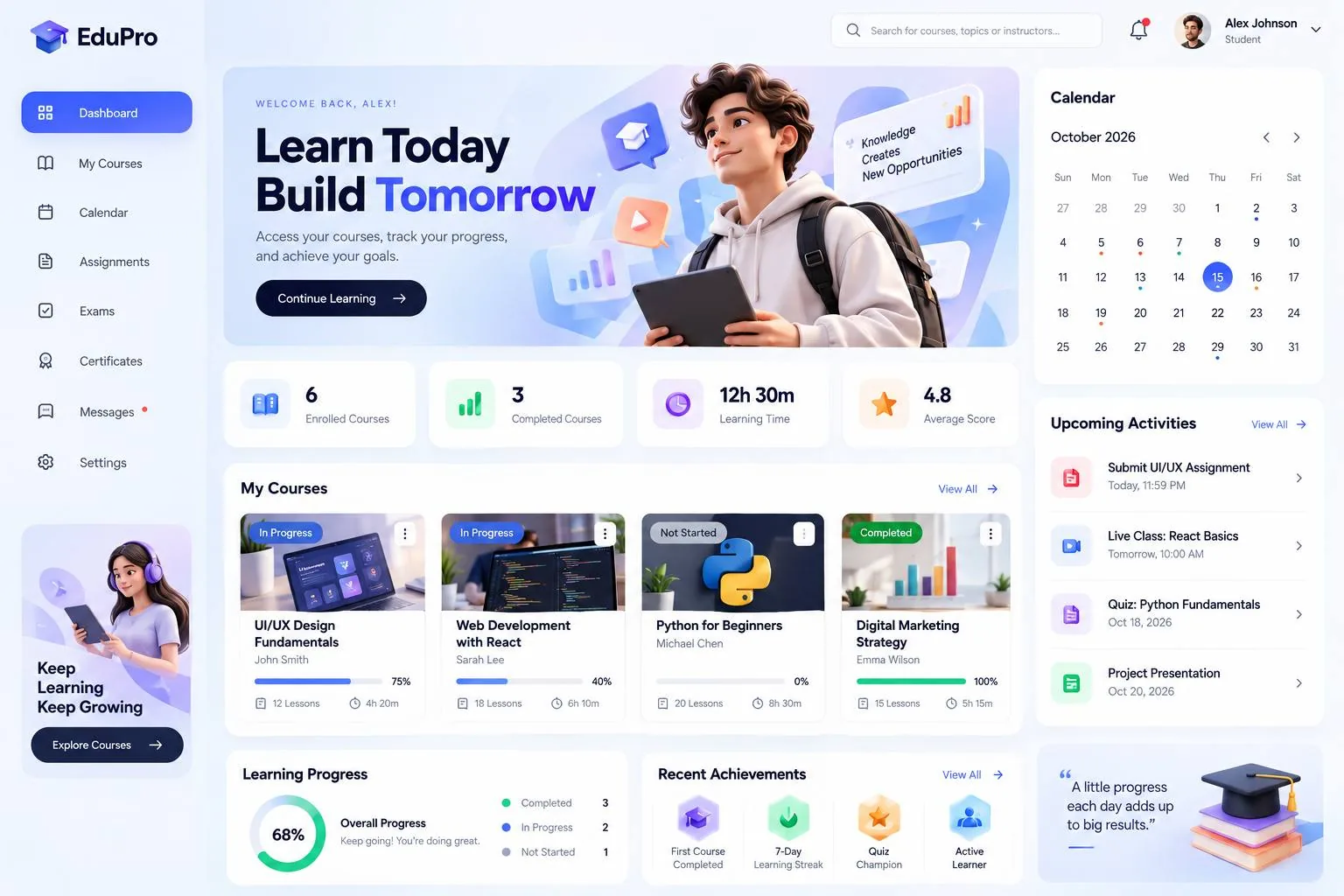
EduPro is a learning platform dashboard that gives every student one calm home base: what to study next, how far they've come and what's due — without hunting through menus.
- Industry
- Education & e-learning
- Platforms
- Web (desktop & tablet) · Responsive mobile web
- Services
- UI/UX design · Web app development · Design system
- Typical timeline
- 8–12 weeks
- Year
- 2026
The challenge
What needed solving
Online learners juggle courses, live classes, assignments and exams across different tools. When progress and deadlines are scattered, motivation drops and students miss what matters. The platform needed a single view that is genuinely useful every day, not just a list of courses.
Our solution
How we approached it
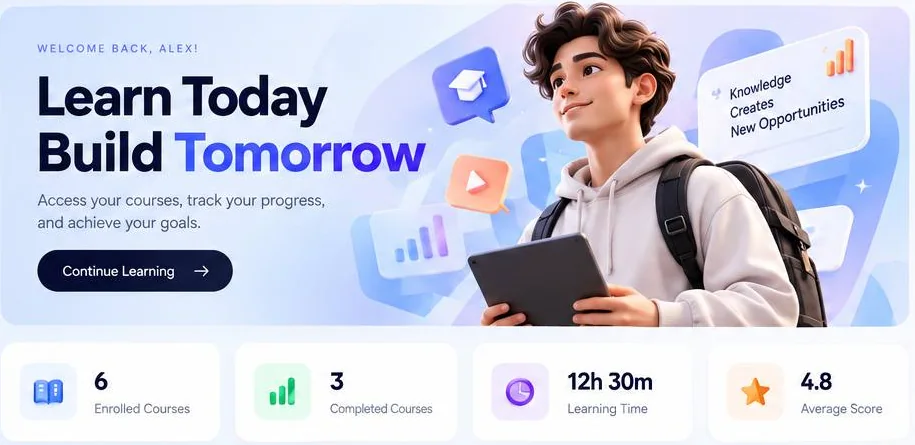
We designed a dashboard around the student's day: a welcome area with a clear next step, at-a-glance stats, course cards with live progress, a calendar with colour-coded deadlines and an upcoming-activities list. Achievements and a learning streak reward consistency, so coming back feels good.
Key features
What's inside EduPro
- 01
Personal dashboard
Enrolled and completed courses, learning time and average score, right at the top.
- 02
Course progress
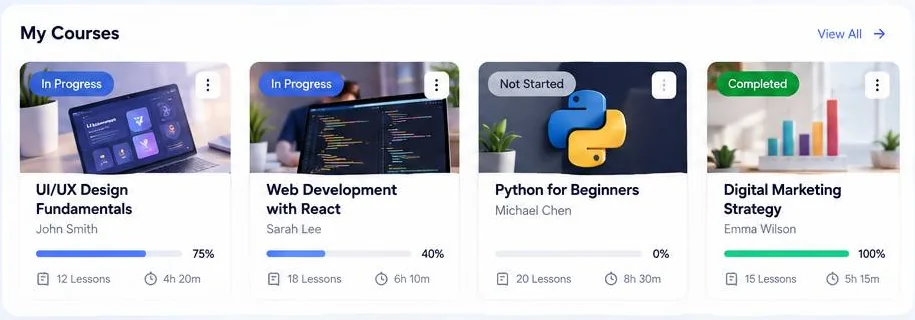
Every course card shows its status, instructor, lessons, duration and a live progress bar.
- 03
Calendar & deadlines
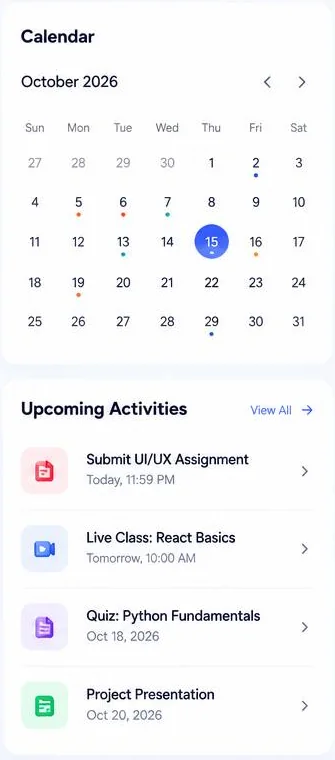
A monthly calendar marks assignments, live classes and quizzes, with the next ones listed beside it.
- 04
Achievements & streaks
Badges for milestones and a learning streak keep students motivated week after week.
- 05
Overall progress
One ring shows the whole picture: completed, in progress and not started.
- 06
Everything one click away
Courses, assignments, exams, certificates and messages live in a clear sidebar, with search and notifications on top.
Gallery
A closer look

Technology
Built with
Proven, modern tools chosen for speed, security and easy growth — no lock-in to anything exotic.
Frontend
- Next.js
- React
- TypeScript
- Tailwind CSS
Backend
- Node.js (NestJS)
- PostgreSQL
- Prisma ORM
- REST API
Learning features
- Video streaming (Mux)
- Calendar & reminders
- Role-based access (students, instructors, admins)
Payments & auth
- Stripe
- Auth.js (email, Google)
Hosting & tools
- Vercel
- AWS S3
- Figma
- PostHog analytics
How we built it
The process
- 01
Discover
Mapped a student's week — classes, deadlines, study time — to decide what belongs on the first screen.
- 02
Design
Built a friendly design system: soft colours, clear status labels and cards that scan in seconds.
- 03
Develop
A fast, responsive web app with secure roles for students, instructors and admins.
- 04
Grow
Analytics on course completion and engagement to keep improving the learning experience.
Designed to
Project goals
- ✓Show students their next step within seconds of logging in
- ✓Make deadlines impossible to miss
- ✓Reward consistent learning to improve course completion
- ✓Scale from one course to a full catalogue
Want something like EduPro for your business?
Tell us where your business is and where you want it to go. We'll reply with ideas, a plan and an honest estimate.